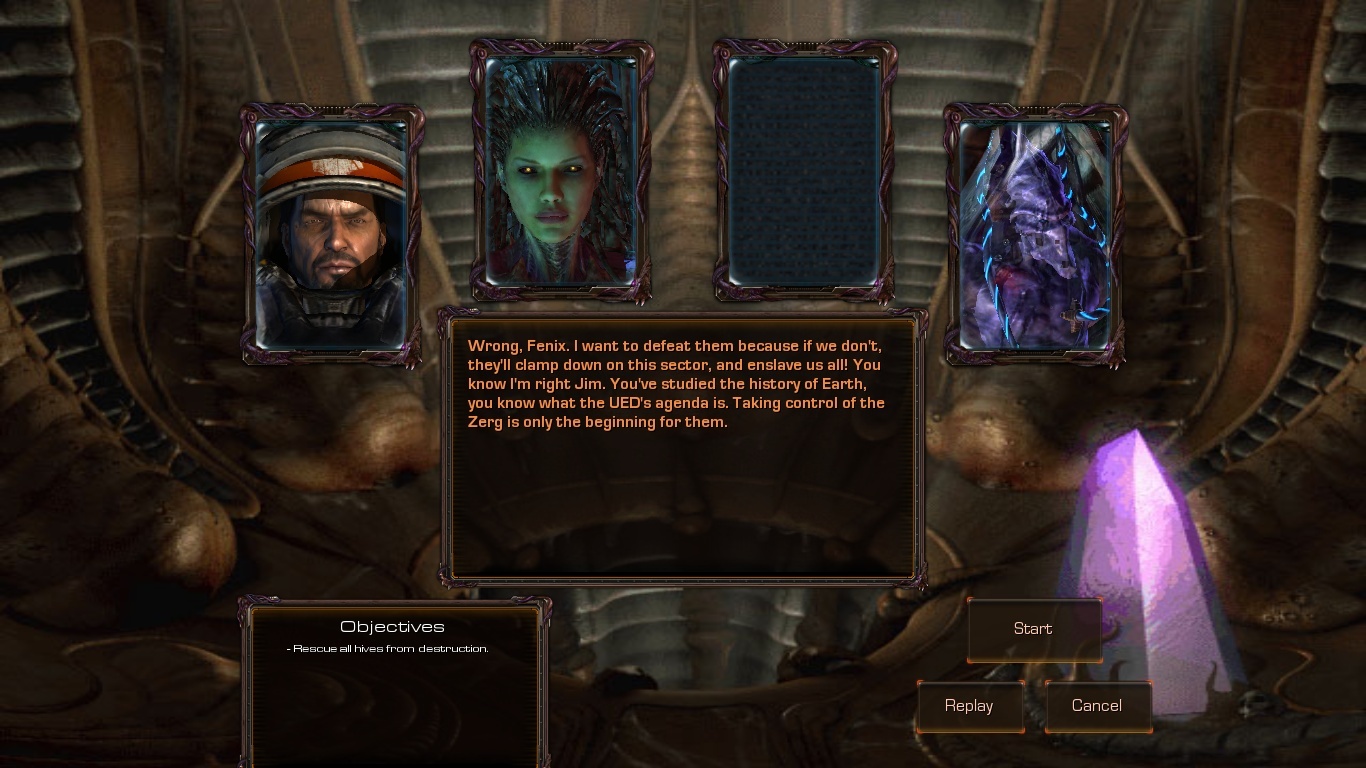
SC1 Episode 6 - Queen of Blades
=== This page is for the older version of episode 6: Queen of Blades, which does not require Heart of the Swarm. An updated version of this campaign is now part of the Heart of the Swarm edition of Starcraft Mass Recall. ===
Starcraft Brood War: Episode VI - Queen of Blades
The complete Zerg campaign
| Episode list | |
|---|---|
| Episode I - Rebel Yell | by Ultraling & Jones |
| Episode II - Overmind | by Jones |
| Episode III - The Fall | by christdaugherty |
| Episode IV - The Stand | by Telenil & Jimm3110 |
| Episode V - The Iron Fist | by Jones |
| Episode VI - Queen of Blades | by Telenil, Jones & Jimm3110 |
Check the official SC1 campaigns on SC2 thread on Teamliquid, and watch our video trailer!
The final part of the Brood War remake on Starcraft 2, episode 6 - Queen of Blades.
Features all 11 maps of the original campaign, with two difficulty levels, as well as a large number of cutscenes and advanced terraining.
English version
Russian version
French version
German version
Chinese version
Download on this website.
Korean version
Download on storycraft's website
How to play
- extract the mod file (SC1BWmod) to your "Mods" folder in your Starcraft 2 install directory (NOT the folder under "My Documents")
- extract the map pack to the "Maps" folder in your Starcraft 2 install directory (create the folder if it doesn't exist)
- extract the Campaign Launcher & setup to the same "Maps" folder (not the campaign folder)
Campaign Launcher installation:
- launch the Starcraft 2 editor
- open the setup map named SCMRsetup in your Maps folder and click the "test document" button on the top right (or press ctrl+F9)
- wait until the launcher loads and you're at the title screen, then save the game and exit the map (press esc or F10 to open the game menu)
- find the save file (named "Starcraft - Mass Recall" by default) in (your home/documents folder)/Starcraft II/Saves/VersusAI
- copy or move the save file to the saves folder under your account folder (your home/documents folder)/Starcraft II/Accounts/.../.../Saves/Multiplayer (for example; any of the save folders will do)
- Done! You can now log into the appropriate account and load the save from the load game-screen. You can use this save to play each episode.
more info:
- You can copy the save file to whatever accounts you want. For example, if you want to play offline, copy it to your guest account folder.
- If you're unsure of the right folders or can't find the Starcraft II documents folder, log into an account of your choice in SC2, go to the load game-screen, click on a save and click the "show in folder"-button. It will take you to the appropriate saves folder.
Credits
- Original campaign by Blizzard Entertainment
- Remake by Telenil, Jones313 & Jimm3110
- additional terraining by TheTorrasque
- The original mod "Starcraft 2 Brood War" by MavercK
- with additional tweaks by christdaugherty, Superfield, Jones, Telenil, Jimm
custom models/textures
- GnaReffotsirk (Carrier, Shuttle, Queen, Guardian)
- Snowflake Entertainment/Project Revolution (Reaver, Corsair, Defiler, Valkyrie), reworked by GnaReffotsirk (with help from NiNToxicated, DeveRR0, Phygis)
- buhhy (Dragoon)
- SoulFilcher (Ion Cannon, Duran hero icon)
- Thrikodias (Observatory, Psi Emitter, Xel'Naga Stasis Cell)
- GhostNova91 (Devourer, Raszagal / Female High Templar, Duran portrait, UED flag)
- UED decals by TooMuchTuch
music
- Starcraft soundtrack by Derek Duke, Glenn Stafford, Tracy W. Bush
- "Metallic Monks" by Mark Morgan (Fallout)
- "Suspicious Minds" by Mark James / Elvis Presley (Wings of Liberty jukebox version by The Bourbon Cowboys)
- "Item Room Ambience" by Kenji Yamamoto & Minako Hamano (Super Metroid)
- "Infraradiant" by Kelly Bailey (The Orange Box Original Soundtrack)
- "Ashes to Ashes" Super Metroid OC Remix by zircon (www.ocremix.org, www.zirconmusic.com)
- "The Forge" by Martin O'Donnell (Myth 2: Soulblighter)
Huge thanks to Maverck for his SC2BW, Ultraling for starting this project back in the day, and everyone who contributed. Last but not least, we're very grateful for the overwhelming support of the Starcraft community. Thank you.
Comments


-

Forge_User_35205748 Owner
-
_ForgeUser7040982 Translator
-
_ForgeUser7536702 Author
-

FirefoxGhost Translator
-

karlprojektorinski Author
-
View User Profile
-
Send Message
Posted Aug 6, 2014You can use the HOTS impaler colony as a sunken colony.
-
View User Profile
-
Send Message
Posted Apr 19, 2014@Telenil: Go
TELENIL.. hi there.. havin' the same problem as Volpin.. based on your comment, how can i adjust the access restrictions to my Mods folder?? where to go? what to do? excited to play this campaign.. BIG tnx...
-
View User Profile
-
Send Message
Posted Mar 29, 2014Hell yeah! It's about time. :)
-
View User Profile
-
Send Message
Posted Feb 8, 2014@Volpin: Go
Strange, that sounds all correct. I suppose you do have things like Liberty.sc2mod in the Mods folder? Check that you don't have some stupid access restriction to the Mods folder, that message would also appear if your computer somehow couldn't read the mod file.
-
View User Profile
-
Send Message
Posted Feb 5, 2014Hi! I got a problem with mod. Unable to open map but...i done everything you said in guide,instructions here. All files are in place but suprising,when i want to start any mission i got Unable to open map. When i want to do the same in SC2 Editor( starting mission by it) im getting the :Dependency file missing: Mods/SC1BWmod.SC2Mod but its here.
Path to mod file: C:/Games/Starcraft 2/Mods Path to map files: C:/Games/Starcraft 2/Maps/all the folders + Campaign launcher and setup,which i tryed to use of course,same error as the first one.
Please respond quickly,i would like to play the campaign fast.
Starcraft Version: 2.1 - Maybe its fault of that?
-
View User Profile
-
Send Message
Posted Feb 1, 2014@Hockleberry: Go
Thank you for your kind words =) Jones and I discussed a donation button a while ago, but there is not much to say about that at the moment. Spread word of the remake to any other friends that might be interested =)
-
View User Profile
-
Send Message
Posted Jan 25, 2014You know...sorry to spam the comments section, but is there a donation button for you guys. I noticed that Rebel Yell has over a million downloads. If everyone gave $5, then you guys could maybe go get some pizza, buy a new PC or pay your college debt off. I'm doing my own campaign and it is super time consuming!! The amount of work that went into this is epic and you guys should have some compensation...besides the adulation of the community.
-
View User Profile
-
Send Message
Posted Jan 25, 2014Slay the Beast. That was an incredibly hard mission. Wow!! I had to exploit every resource and had every upgrade, but the UED would not fall. Great mission!!
I was so bummed about the death animation of the new Overmind. Is that something that will be addressed in the new updates? I loved the cinematic scene. Although, I did not have any corsairs or a shuttle to do the deed.
Oh...noticed some UED rines in the background taking a break (during cinematic).
These missions are so good! I just told a friend about this whole deal. He was trying to play SC1 from his old CD (1999 was purchase date) and it wouldn't run on his PC. He was so stoked about this mod. I could tell the 13 year old boy inside was super stoked, however his wife was not happy with me! :)
-
View User Profile
-
Send Message
Posted Jan 6, 2014@Telenil: Go
Thanks for your reply, Telenil!
What you and the rest of the team have done is just priceless and your dedication is amazing. In saying that, I wouldn't mind you taking your time in updating the campaigns rather than rushing it.
Kind regards, Anoobis
-
View User Profile
-
Send Message
Posted Jan 6, 2014@AN00BI5: Go
Hi! I remember you now that you mention it :) Not the most constructive discussion we've had, Rasofe openly admits that he doesn't even try to be constructive.
Release date: hard to say. My part will be complete within a week, but the others have been silent for some time and I don't know what they have left to do. Maybe two or three weeks, but no promises.
Position of the missions: BtB and OSS will be inserted in Rebel Yell, with the option to play them or skip them once you finish the previous level. We are still unsure about R4, it will probably be alone in a new "Extra" section.
Thank you again for the appreciation =)
-
View User Profile
-
Send Message
Posted Jan 1, 2014Hello, Telenil! Don't know if you remember me, but we had some discussions on SCII forums in regards to SCII story, both of us having to defend our positions against good ol' Rasofe. :)
And even though I thanked you there, I am going to thank you again, as well a big thank you to Jones & Jimm3110, christdaugherty and Ultraling for creating something extraordinary with the SC 1 campaigns. A really well done job!
My first question would be in regards to the release date-ish of the new updates. I just have to say that I'm looking so forward to it. Having a chance to play Biting the Bullet, Operation Silent Scream, and ResurrectionIV is just golden!
My second question is if those missions will be in continuation of Queen of Blades campaign or spread across the others as well, to keep it with the timeline?
Thank you and keep up the fantastic work!
-
View User Profile
-
Send Message
Posted Aug 9, 2013Ahhh, I figured it out. I still had SCMRsetup and SCBW campaign launcher in the original parent folder instead of the maps folder.
-
View User Profile
-
Send Message
Posted Jul 30, 2013@Jones313, ahhh thats great news indeed, im sure we would all like a new "The Fall" campaign with your guyes epic stuff that you do, the ending cinematic was the one we really got robbed on if you have played/checked out that campaign, keep it up guys, your hard work does not go unnoticed nor unthankful by us
-
View User Profile
-
Send Message
Posted Jul 30, 2013@DingoDyno69: Go
Well, thanks man. That intro was actually a result of ideas by the three of us - the space intro was Tel's idea, Jimm figured there would be protests/riots in the city, and the Swarm in the distance was my two cents.
There will be a new Fall, one way or the other. It'll obviously include all that standard stuff - things like short intros and such. A lot of little things. I think I'll find a way to squeeze in one or two actual cutscenes that hopefully someone will consider epic.
-
View User Profile
-
Send Message
Posted Jul 29, 2013@Jones313 i know the fall isnt your guyses campaign and its Christdaughtery but seeing as that guy seems to have fall of the face of the earth on here, will you and Telenil fix that one was well, and if so, will you add your bad ass little cinematics that you did for Queen of blades, Overmind, Rebel Yell, etc, i loved what you did with the little video of mission 4 of queen of blades when Kerrigans forces take out the UED space patrol and then after you see the brood descending on the planet, i thought that was epic :D and you know little stuff like that, i love all the dodadds you guys do to, you guys do a tremendously good job of at adding new spicy to old stuff we have all played before, making us want to play it all over again as if we never played it before, keep up the great work
-
View User Profile
-
Send Message
Posted Jul 29, 2013@DingoDyno69: Go
Sure
-
View User Profile
-
Send Message
Posted Jul 29, 2013@Jones313 i have question for you, if you would be so kind enough to respond
-
View User Profile
-
Send Message
Posted Jul 23, 2013@DingoDyno69: Go
The current plan is to release everything we're working on in a single update, by the end of 2013. If it turns out to be impossible for any reason, I think we will still release something in 2013 and make a second part in early 2014.
We are still thinking about possible improvements, so I can't be more specific than that.
-
View User Profile
-
Send Message
Posted Jul 20, 2013yo @Telenil and @Jones313 not to bug you guys cuz i know you guys are working hard on this and have lives outside of this thing as well, but i just wanted to ask when do you think we will see major updates you guys mentioned above? especially for episode 3? maybe by the end of the year perhaps? an estimated due date would be nice so where not all left in the dark here waiting forever for them to come out
-
View User Profile
-
Send Message
Posted Jul 12, 2013@ Telenil Thanks a lot for replying so soon! ;-) Actually, the problem wasn't that I put them in the wrong mod folder, but that I put them in a folder in that mod folder, like "C:\Program Files\StarCraft II\Mods\SC1BWmod_v4.7b\SC1BWmod.SC2mod". Since you said the error would come from the mod files being in the wrong place, I copied them from those folders to "C:\Program Files\StarCraft II\Mods", and now it's fixed. :-) Thanks.